
 0
0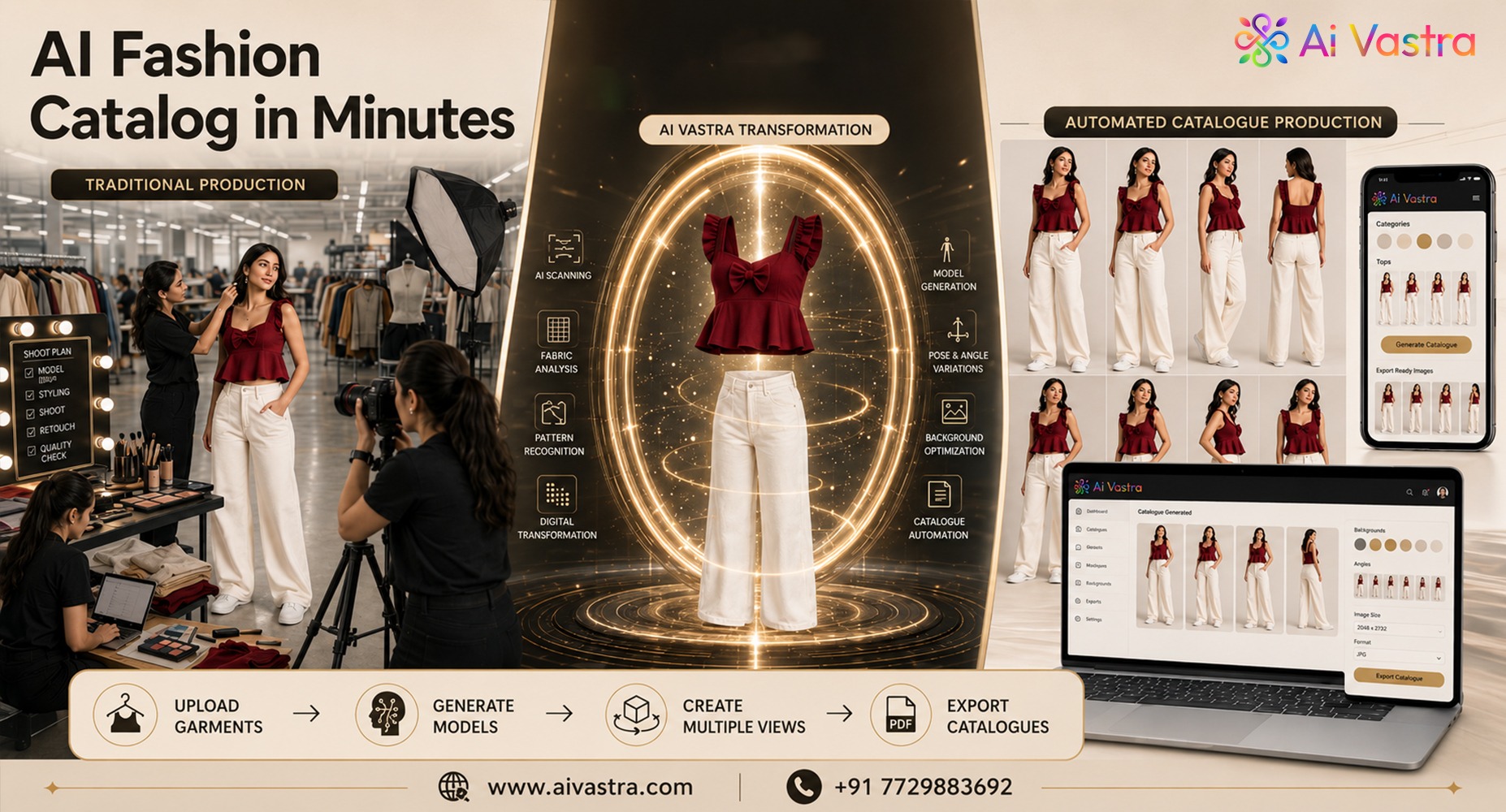
You know the pain if you still upload, shoot and edit catalogue images by hand! For manufacturers pushing 200+ SKUs a season, the old way just doesn’t scale. This guide shows exactly How to Automate Fashion Catalogue Production, step by step, so your operations team can move from spreadsheet to storefront in days, not weeks.
Why Manufacturers Need to Automate Fashion Catalogue Production
A typical catalogue line looks like this: design → sample → photoshoot → editing → upload. Each step needs people, studio time, and approvals. When you multiply that across hundreds of SKUs, bottlenecks pile up fast — model booking delays, retouching backlogs, and inconsistent image quality across marketplaces.
This is exactly where teams start to automate fashion catalogue production using AI. Instead of waiting on studios and editors, AI Catalog Automation lets you generate model-ready, marketplace-ready images directly from flat-lay photos or product specs.
Where the Traditional Workflow Breaks Down
- Sampling delays — physical samples take days to arrive and photograph.
- Studio bottlenecks — limited shoot days can’t match SKU volume.
- Editing backlog — retouching 500 images manually takes a full team weeks.
- Inconsistent formatting — every marketplace wants different image specs.
Fixing this starts upstream. Clean, consistent product data makes automation faster — which is why pairing this process with our SKU Standardization guide matters before you scale image production.
How AI Vastra Plugs Into Your Workflow
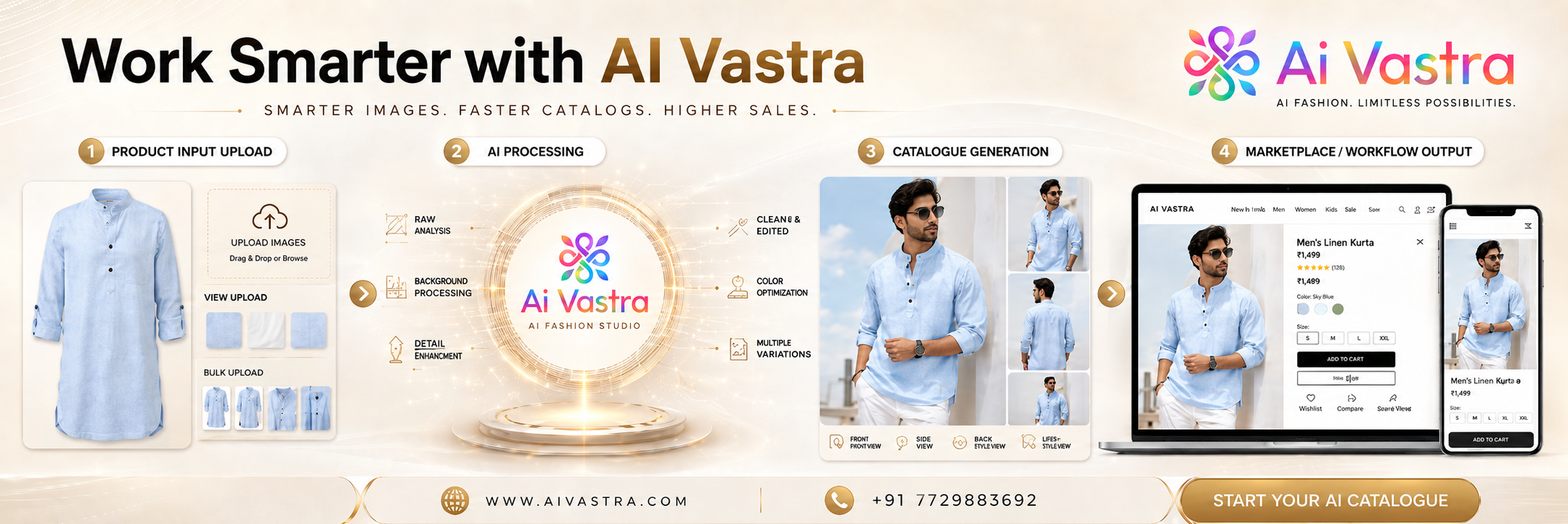
AI Vastra removes the studio, sample, and editing steps entirely. Here’s how a fashion catalog automation tool like AI Vastra fits into your existing pipeline:
- Upload flat-lay or product images instead of waiting on physical samples.
- Apply AI models — choose body types, skin tones, and poses instantly.
- Batch process hundreds of SKUs in one go.
- Auto-format outputs for Shopify, Amazon Seller Central, and Flipkart specs.
- Export and publish directly to your channels.
This is the core of modern catalogue creation using AI for clothing brands — no studio bookings, no editing queues.
CSV/Excel Batch Upload Walkthrough
For manufacturers doing bulk fashion catalogue creation, batch upload is the real time-saver:
- Export your SKU sheet (image path, color, size, category) as CSV or Excel.
- Upload the sheet into AI Vastra’s batch tool.
- Map columns to fields — image, style code, category.
- Select model presets for the entire batch.
- Run the batch and download outputs in bulk, pre-tagged by SKU.
This single step is what lets teams go from 500 flat-lay images to 500 finished model images in an afternoon — a process that once took weeks of studio and editing time.
From Flat-Lay to Marketplace-Ready in One Afternoon
Here’s a realistic timeline for manufacturers who automate fashion catalogue production this way:
- Morning: Upload 500 flat-lay images + CSV data.
- Midday: AI generates model images across selected presets.
- Afternoon: Auto-format for Shopify, Amazon, and Flipkart specs.
- End of day: Full catalogue ready to publish.
This works well with our Bulk Catalogue Creation for Manufacturers pillar and the AI Catalogue for Wholesalers guide, which cater to the needs of retailers who buy in bulk from manufacturers.
Marketplace Integration: Shopify, Amazon, Flipkart
Specific image requirements are set for each platform: white backgrounds, aspect ratios, maximum file size limits. A good AI catalog automation workflow auto-formats outputs per platform, so your team isn’t manually resizing hundreds of files before every upload.
Final Thoughts
Manufacturers who automate Fashion Catalogue Production cut weeks off their timeline and remove studio dependency entirely. Start with clean SKU data, batch upload through a fashion catalog automation tool, and format once for every marketplace you sell on.