

Everything You Need to Build
Catalogues Faster
AI Vastra Documentation simplifies the workflow for businesses to quickly create,
manage, and scale AI-powered product catalogue production at any volume.
AI Vastra Documentation simplifies the workflow for businesses to quickly create,
manage, and scale AI-powered product catalogue production at any volume.


Learn the fundamentals of AI Vastra and create your first AI catalogue.


Step-by-step documentation covering the complete catalogue generation workflow.


Technical documentation for APIs, automation, and workflow integrations.


Learn proven techniques to improve output quality and production efficiency.


Stay informed about the latest platform enhancements and new capabilities.

Overview AI Vastra helps you create catalogue-ready fashion visuals without traditional photoshoots. Simply upload garment…
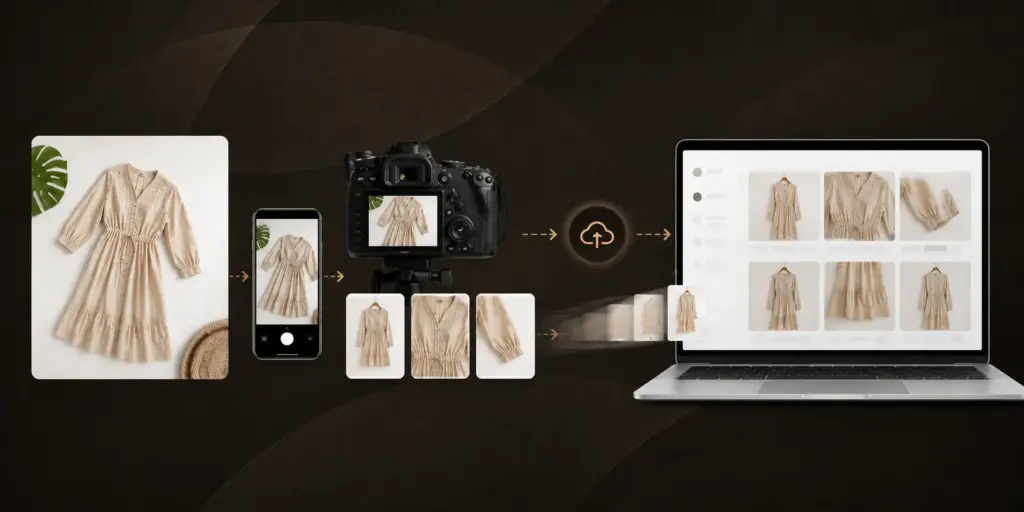
Understand image requirements and best practices for high-quality outputs.

Organize and generate catalogues efficiently for large product inventories.


AI Vastra helps fashion brands generate high-quality catalogue visuals faster while reducing production effort and maintaining consistent visual quality across collections.
Getting started with AI Vastra is straightforward. Sign up for a free account at aivastra.com-no credit card required. Once logged in, you can generate a free sample catalogue image by uploading a flat-lay or hanger photo of any garment. The Getting Started section of the documentation walks you through account setup, your first image upload, choosing a model and background, and downloading your first catalogue output. The entire process from sign-up to your first catalogue image typically takes under 15 minutes.
AI Vastra accepts JPEG and PNG garment images. For best results, upload flat-lay images-garments laid flat on a plain surface-or hanger images where the garment is hanging clearly without folds obscuring the design. The recommended minimum resolution is 800×800 pixels, though higher resolution inputs produce sharper outputs. Images should show the full garment with the fabric texture, print, and embroidery clearly visible. You do not need studio lighting or a professional setup-a plain white or light-coloured background at home or in your store is sufficient for most garment types.
Yes. AI Vastra provides API access for developers who need to integrate catalogue generation into their own systems, automate bulk uploads, or build custom workflows. The Developer & Integration Resources section of the documentation covers API authentication, endpoint references, request and response formats, and code examples for common integration scenarios. For teams with specific integration requirements-such as a custom ERP, a PIM system, or a bespoke e-commerce platform-the AI Vastra support team is available to assist with implementation.
AI Vastra uses a credit-based system where each catalogue image or virtual try-on consumes one credit. Credits are purchased in packs-starting from ₹1,000 for 80 catalogue images or 160 virtual try-ons-and do not expire. Credits are only deducted for successful outputs; if a generation fails or the try-on does not complete, the credit is returned. You can monitor your credit balance and usage history from the dashboard at any time. The Understanding Credits & Usage guide in the documentation covers this in full detail.
Yes. AI Vastra is available as a dedicated app on the Shopify App Store. The app lets Shopify store owners add AI virtual try-on directly to their product pages without any custom development. Once installed, customers can try on garments directly from the product page on your store. The Shopify integration documentation covers app installation, configuration, and how to activate try-on for specific products. The app is compatible with all major Shopify themes and can be installed in under 10 minutes.
Create premium fashion catalogues and immersive virtual try-on experiences that help your business grow faster.

#904, 9th Floor Asian Sun City
Commercial Beside Sarath City
Capital Mall Kondapur,
Hyderabad
Salumuri Vari St Innespeta
Rajahmundry Andhra
Pradesh