
Overview
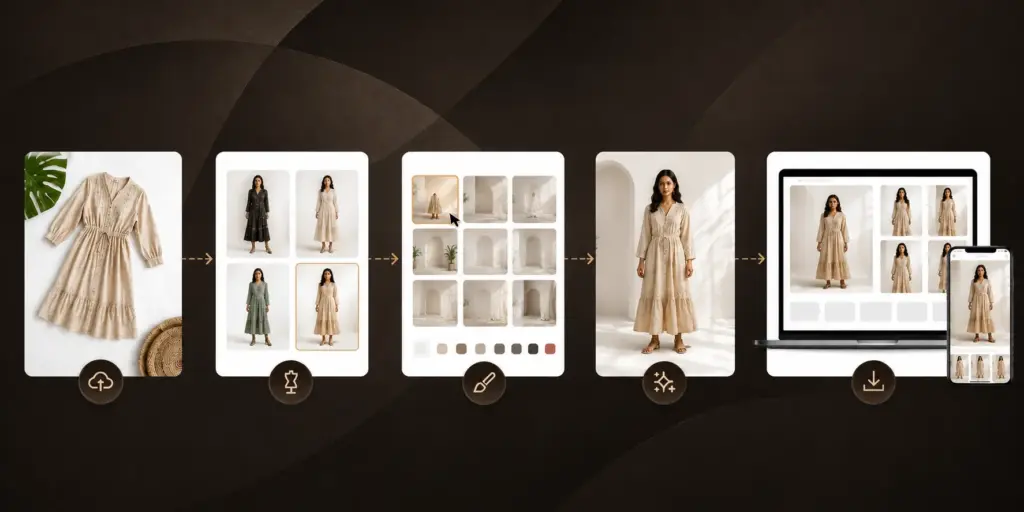
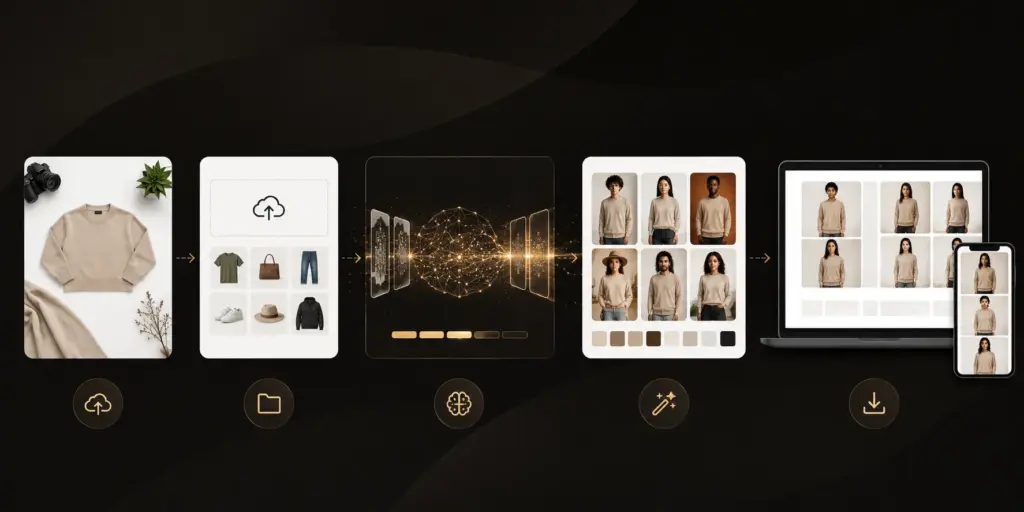
AI Vastra helps you create catalogue-ready fashion visuals without traditional photoshoots. Simply upload garment images, choose your preferred model and background, and generate ecommerce-ready outputs optimized for your selling platforms.
The Catalogue Creation Process
Modern fashion brands are increasingly adopting AI-generated visuals to simplify catalogue production and reduce operational complexity.
Instead of organizing large-scale shoots for every collection, brands can now generate high-quality catalogue visuals using AI-powered virtual models and automated workflows.
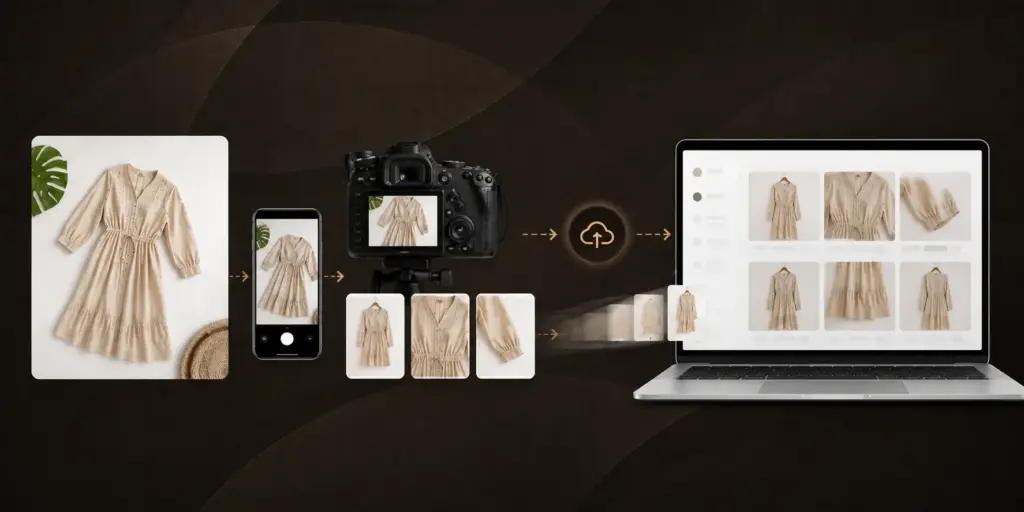
1. Upload Garments
Start by uploading clean garment images. Supported formats include JPG, PNG, and WEBP.
For best results:
- Use flat-lay garment images
- Ensure the garment is fully visible
- Avoid wrinkles and folded products
- Use high-resolution images
- Women
- Men
- Girl
- Boy
- Tops
- Shirts
- Kurtas
- Sarees
- Indian
- South Indian
- North Indian
- Asian
- International
- Studio
- Indoor Lifestyle
- Outdoor
- Luxury
- Ecommerce White
- Fashion Editorial
- Places garments on selected models
- Applies chosen backgrounds
- Maintains garment consistency
- Generates multiple catalogue-ready outputs
- Preview generated images
- View marketplace previews
- Download outputs
- Save results to Assets
- Regenerate new variations
2. Configure Catalogue Settings
Select the details required for generation. Selecting the correct category helps improve output accuracy.
Catalogue For
Outfit Category
3. Choose AI Models
Select from a diverse collection of professionally curated AI models. You can generate multiple model variations from the same garment.
Available model categories include:
4. Select Backgrounds
Choose the environment that best represents your brand. Background selection plays a major role in defining the final visual style.
Popular options include:
5. Generate Catalogue Images
Review your selections and start generation. Generation typically takes 1–3 minutes.
AI Vastra automatically:
6. Preview & Download
Once generation is complete, you can:
Best Practices
For Better Results
- Use high-quality garment images
- Upload wrinkle-free products
- Choose the correct outfit category
- Match backgrounds to your target audience
- Generate multiple variations before finalizing